Benefits

Much faster editing at PC
Work with NC programs on your PC, in a familiar Windows-based application instead of on complicated machine controls. Speed up your work with time-saving, NC-code specific functions.

Error-free code
Use code suggestions, syntax checking, error reports, and 3D simulation to write error-free NC code and identify problematic toolpaths and tool motion.

Work smarter
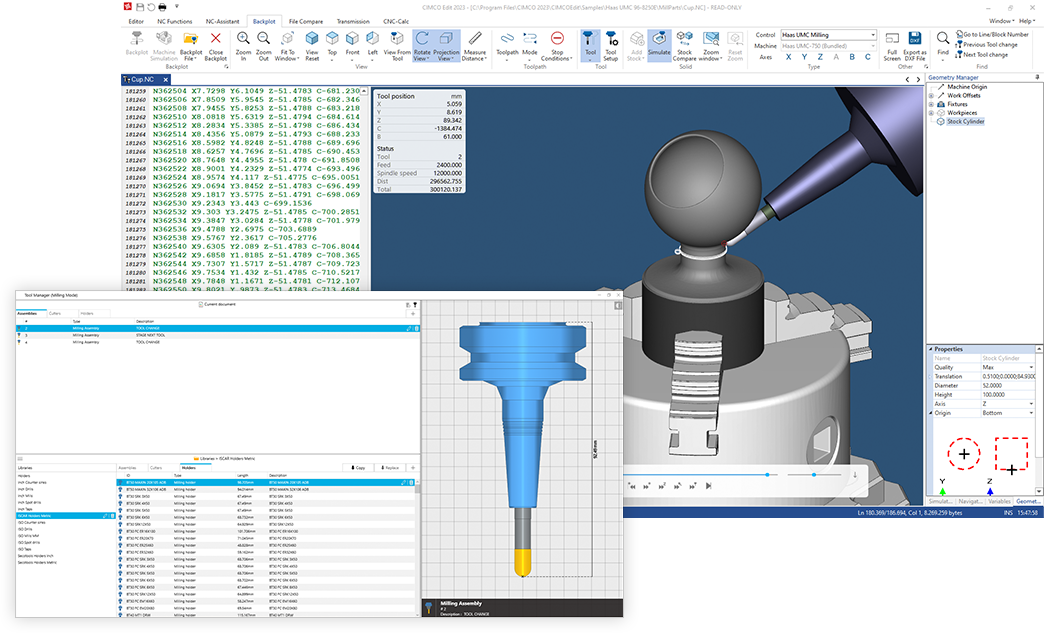
Define associated objects such as workpiece, tools and holders directly in your NC programs for 1-click setup when simulating. Generate an operation structure for faster program navigation, track variable state and more.

Better Tool Management
Easily view and modify tools in your NC program for fast, iterative testing and simulation. Import tools from external systems, create your own libraries or choose from hundreds of predefined tools.

Transfers to and from machine
Manage program transfers to and from machines with reliable and configurable DNC RS-232 and FTP communications support.

Scalable and integrated
Proven in thousands of shops worldwide, powerful add-ons, fully integrated with the CIMCO suite of software products and built for integration with external systems.
Features
Essential editing tools
Comprehensive set of editing tools including line numbering, renumbering, character handling, XYZ range finder, tool compensation, basic math functions, and more.
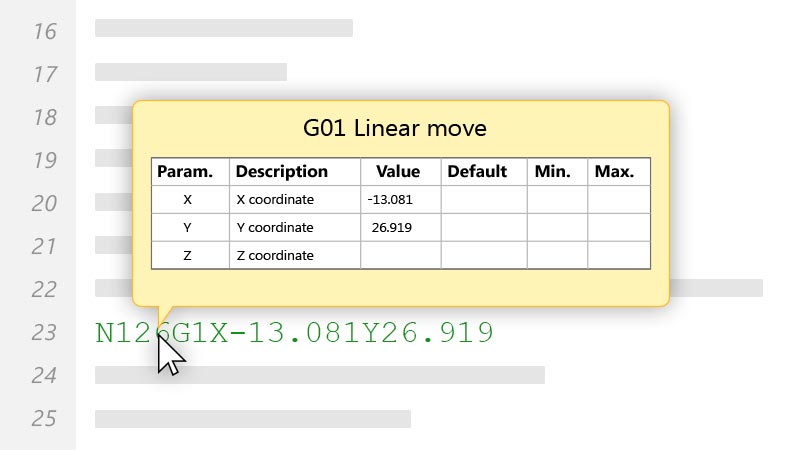
NC-Assistant
Point at any M or G code and the NC-Assistant will identify the code and allow you to modify its values using an interactive interface linked to the CNC code. Input the desired values and the code is updated automatically.
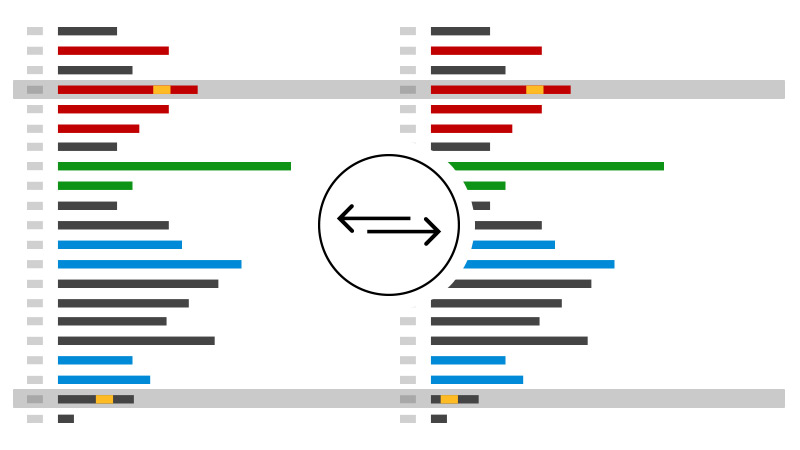
File Compare
The file compare identifies new, changed and deleted lines, but ignores trivial format changes such as block renumbering and spacing. Differences are displayed one line at a time, all at once or printed side-by-side for offline review.
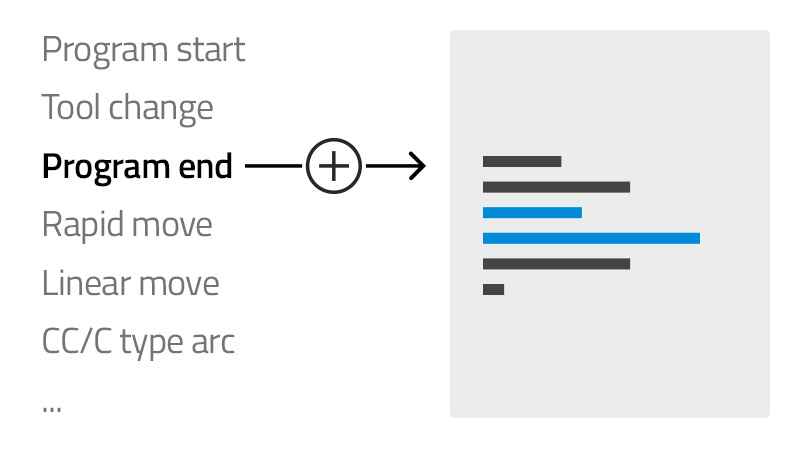
Cycles and Macros
Quickly insert and edit cycles and operations or record your own for the operations most common to your setup. Includes built-in cycles and macros for program start, stop, tool change, and many more.
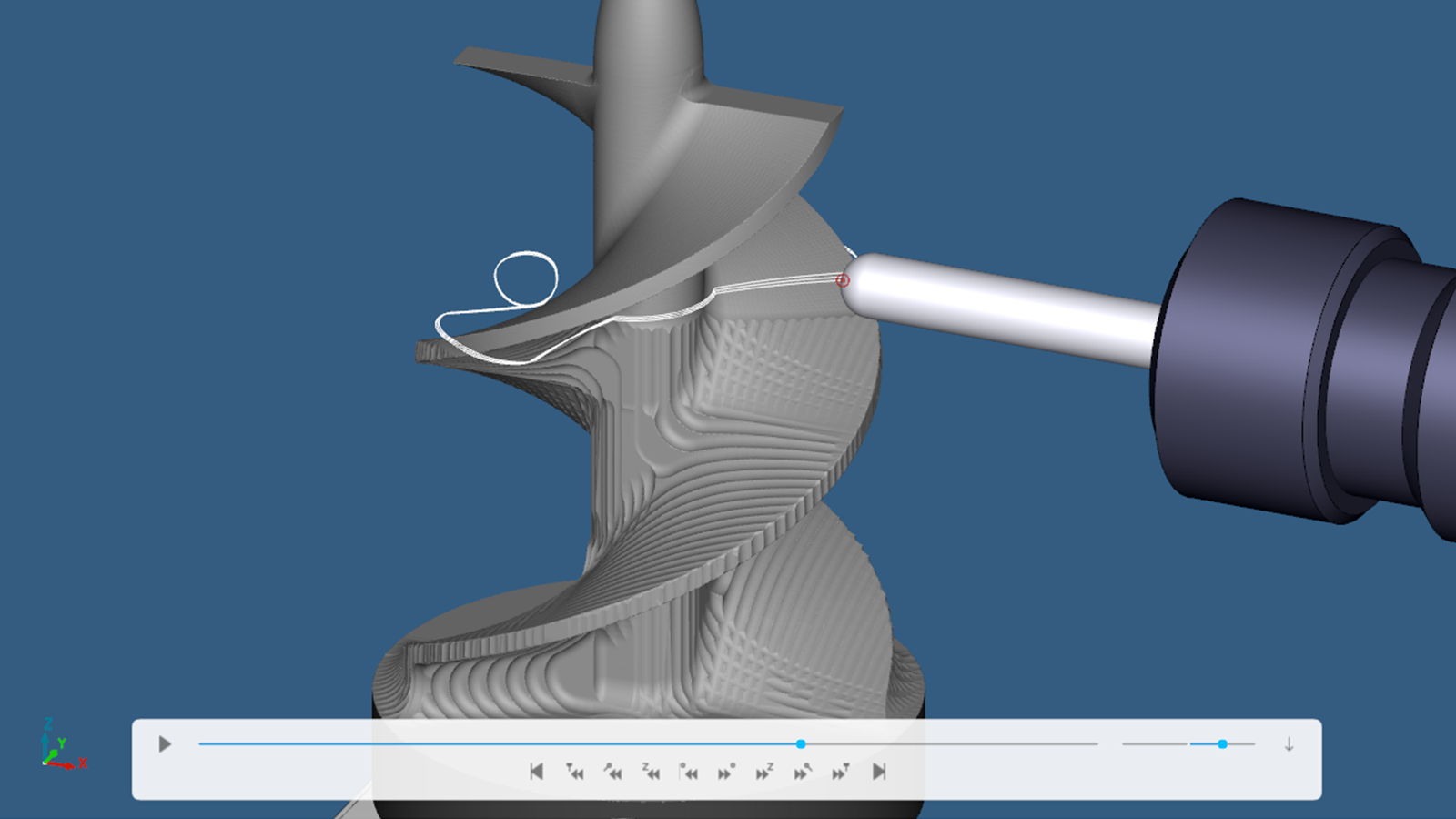
Backplot and Solid Simulation
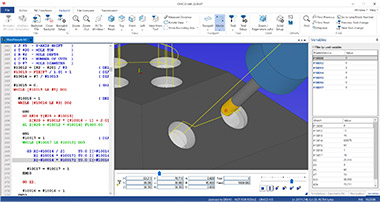
Simulate your NC programs in 3D with the 3,4,5 axis milling, turning and mill-turn C+Y axis backplotter. GPU-accelerated high-quality simulation of stock material removal, gouge detection and more.
Getting started with SimulationEnable ‘Fast Version’ SimulationSimulation in CIMCO Edit 2022Quality Zoom in CIMCO Edit 2022Stop Conditions in CIMCO Edit 2023Turning in CIMCO Edit 2022
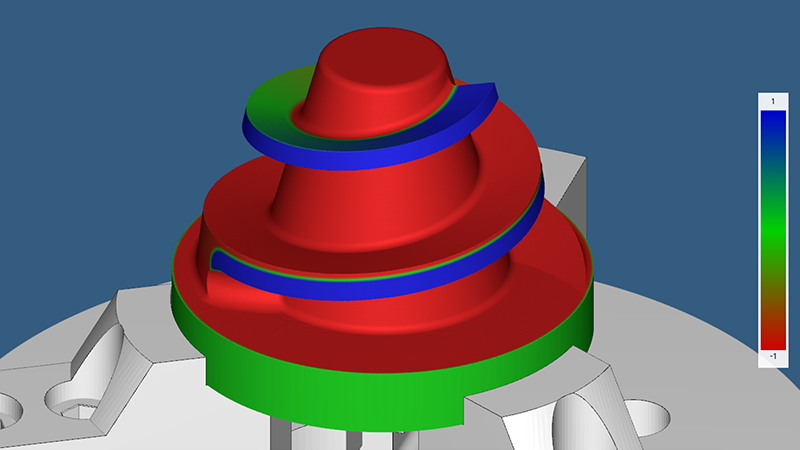
Stock Compare
Compare the simulated stock to the design model to easily identify inaccuracies. The stock is colored based on the distance to the design model.
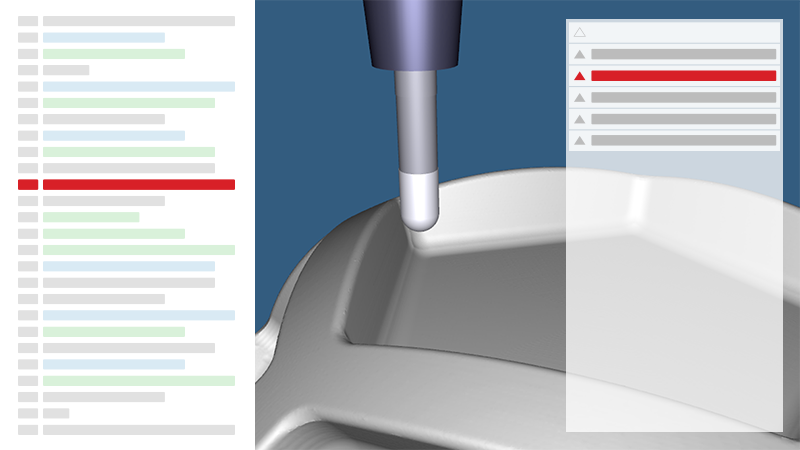
Simulation Report
All program errors are shown in the Simulation Report. Select an error and jump to the corresponding line. Modify the code and the Simulation Report verifies that the problem is resolved.
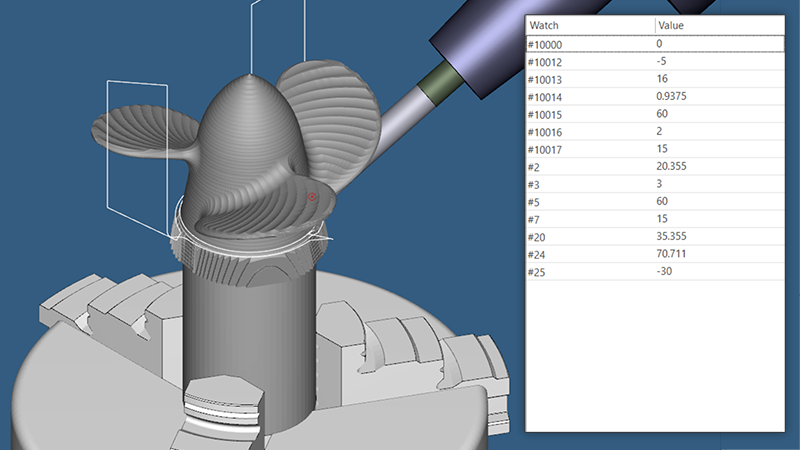
Variable Watch
Track the initial and current state of variables in your NC program while the simulation is running or when selecting specific lines. Machine state variables are also supported.
Free online courses
A great introduction to CIMCO Edit. Our online training courses teaches you milling and turning, trigonometry, NC code, and much more.
| Basic functionality |
|---|
|
Translated to 20+ languages
|
|
Online help and training courses
|
|
Modern, Windows-based editor with drag-and-drop editing
|
|
Support for Bright and Dark mode
|
|
Support for high resolution monitors
|
|
NC specific options (math, transforms and more)
|
|
Bookmarks support
|
|
Append/Prepend files to NC program
|
|
Adjust spindle speed and feed rate
|
|
Set idle time to auto-exit, save and free up license
|
| Files and programs |
|---|
|
No program size limitations
|
|
Open multiple programs simultaneously in tabs
|
|
Advanced Open with search and export of results
|
|
Filetype support for ISO Turning/Milling, Heidenhain TNC, and Text files
|
|
Filetype specific configurations, properties and program codes
|
|
Filetype specific commands (renumbering, tool change, colors, backplot, etc.)
|
|
Machine Templates with machine specific characters and commands for NC code
|
|
Auto-save files at configured interval
|
|
Create backup when saving a file
|
|
Check and notify of changes to file outside editor
|
|
Remember open files and cursor position when reopening application
|
|
Associate file-extensions with CIMCO Edit
|
| Code assist |
|---|
|
NC-Assistant: Code suggestions and adaptable interface
|
|
Syntax, semantic and run-time error checking and highlighting
|
|
Autocomplete
|
|
Predefined/Custom Cycles and Macros (suggested or record your own)
|
| Side-by-side File Compare |
|---|
|
Fast and configurable side-by-side file compare
|
|
Identify new, removed and altered lines
|
|
Ignores trivial format changes (block renumbering and spacing)
|
|
Display differences one line at a time or all at once
|
|
Single step through differences
|
|
Compare both open and un-opened files
|
|
Side-by-side printing of differences for offline review
|
|
Synch differences between files
|
|
Export comparison results to file
|
| Search and replace |
|---|
|
Standard Search/Replace of strings
|
|
Search for text or predefined operations such as tool change
|
|
Quickly jump to next/prev tool change
|
|
Replace from file: define multiple match and replace statements
|
|
Support for Regular Expressions in Replace
|
|
Replace, remove or swap addresses with Address Adjustement tool
|
|
Create Bookmarks from search results
|
| Toolpath Statistics |
|---|
|
Program statistics for X,Y,Z range, time, cutting length and more
|
|
Cycle time, including tool change, for individual or all tools combined
|
|
Export toolpath statistics
|
| Multi-Channel |
|---|
|
View current or multiple programs in Multi-Channel mode
|
|
Synchronize/lock scrolling
|
|
Supports viewing, editing and printing
|
| Program Conversion |
|---|
|
Convert between Heidenhain and ISO
|
| Simulation |
|---|
|
New, GPU-accelerated simulation kernel "Fast Version"
|
|
Wireframe backplot of 3,4,5 axis milling and turning
|
|
Solid mode for simulating material removal
|
|
Simulation of control-specific NC code
|
|
High-resolution, responsive 3D graphics
|
|
Numerous playback modes and 3D navigation controls
|
|
Numerous tool and toolpath visualization modes
|
|
Quality Zoom and Cross Section View for accurate verification
|
|
Stop Conditions for over travel limits, tool changes and collisions
|
|
Axis Control for adjusting travel limits in real time
|
|
Full Screen support
|
|
Program modifications are dynamically reflected in the simulation
|
|
Configuration of stock
|
|
Stock Compare
|
|
Define machine setup with integrated Machine Configuration Editor
|
|
Load STL files for workpiece, fixture, holders, etc.
|
|
Faster setup with automatic loading of associated files
|
|
Manage geometry, work offsets, origin, etc. with Geometry Manager
|
|
Generate operations-tree for better overview and navigation
|
|
Track the scope and state of program variables
|
|
Synchronize simulation and NC code scroll/highlight
|
|
Measure distances while in simulation
|
|
Export backplot as DXF file
|
| Tool Manager |
|---|
|
Manage and view tools in current program
|
|
Modify, copy or replace tools
|
|
Create libraries with custom tools
|
|
Thousands of predefined tools
|
|
Tool preview with measurements
|
| Tool Lists |
|---|
|
Auto-generate Tool list from program
|
|
Configure how tool information is defined for different filetypes
|
|
Create your own Tool list templates
|
| Machine communication / DNC |
|---|
|
Supports transfers over Serial RS-232
|
|
Includes FTP client for transfers to machines with FTP server
|
|
Simultaneous communication with up to 16 machines
|
|
Detailed information about transfers and status
|
| Printing |
|---|
|
Many options including ISO standard
|
|
Syntax highlight, headers/footers, Raw print, font type/size
|
|
Supports printing of Multi-Channel programs
|
|
Print programs in four columns to save paper
|
| Reverse Post system |
|---|
|
Possible to read and process any machine specific NC program
|
|
Enables simulation of control-specific NC code (See Simulation)
|
|
Simplified creation of Reverse Posts
|
| Integration |
|---|
|
Time-saving integration with CAM systems
|
|
Execute commands on external applications and receive output
|
|
API available for controlling certain functionality in CIMCO Edit
|
| Add-ons |
|---|
|
CIMCO Machine Simulation: Simulate programs on machines in 3D
|
|
CIMCO NC-Base: NC Program Management
|
|
CIMCO CNC-Calc: Basic 2D CAD/CAM
|
|
CIMCO Mazatrol Viewer: View Mazatrol files for milling and turning
|
| Scalability |
|---|
|
CIMCO MDC-Max: Manufacturing data collection and machine monitoring solution
|
|
CIMCO MDM: Total manufacturing document management solution
|
|
CIMCO DNC-Max: Advanced CNC communication
|