
Benefits

Always get the right document
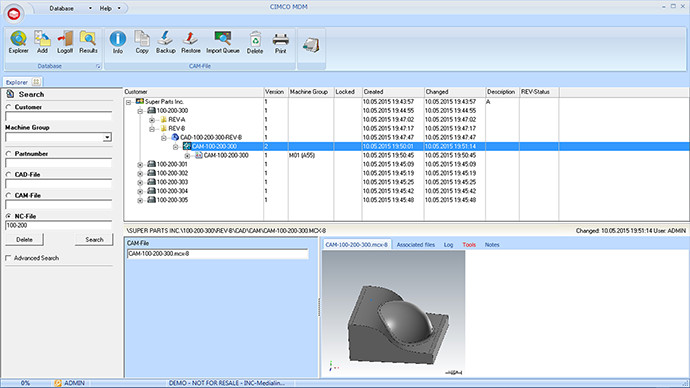
Access your production documents from anywhere. MDM ensures the “right version” of a document is always accessed and only by authorized users.

Keeps documents organized
MDM keeps your documents organized by restricting where specific document types can be stored and who is authorized to access them.

Work smarter
Access your vital applications, all your production documents and manage file transfers to and from machines all from one place.

Restricted access to documents
Restrict who can access, modify, approve or transfer files and to which machines. Lock files when editing and request user-comments and other information when files are checked-in.

Production reports in a snap
Save time with auto-generated production documents and reports such as Tool lists, Setup sheets, DNC transactions, tool usage and QA documents in PDF and Word format.

Less clutter, more eco-friendly
Reduce paper clutter and printouts by instead accessing the digital production documents directly from the shopfloor or anywhere else.
Features

Works with your files
MDM work with your existing documents and directory structure in its current location. Effectively adding all the powerful functionality in MDM ‘on top’ of your existing files.
Easy to add files
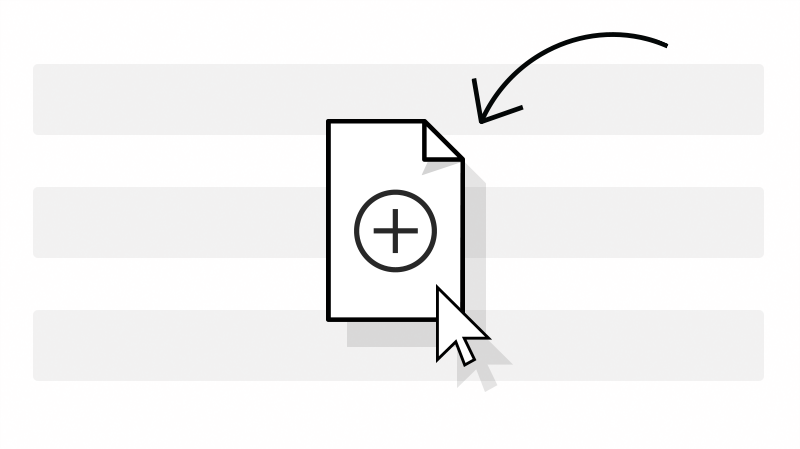
Drag and drop files into MDM and they are automatically stored in the right location and renamed based on your preferences. Incomming files can also be placed in the Import Queue for later approval.
Advanced search
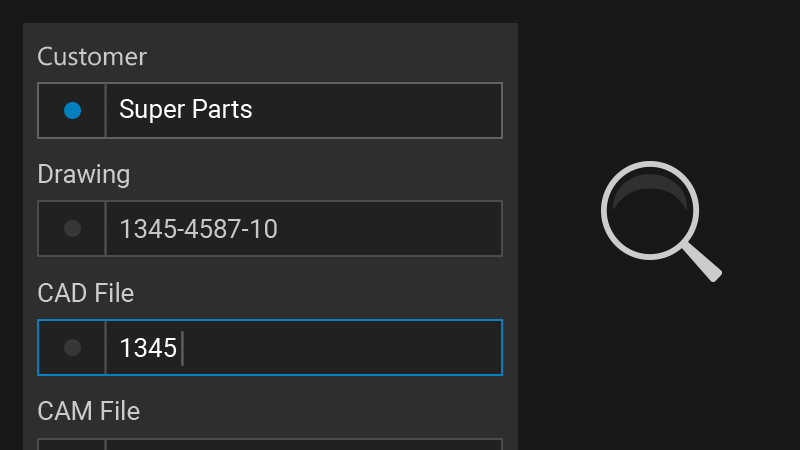
Search panel with global and folder specific search fields that change based on selection. Searches with multiple results are listed and can be exported to Excel.
Version control
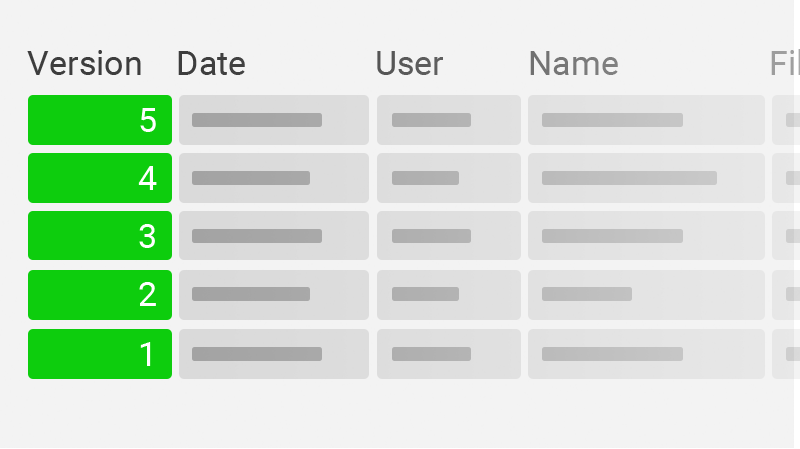
All documents are kept under version control and automatically raised in version when saved. Browse the version history of any file, compare versions side-by-side, or restore an older version if needed.
Machine file transfers
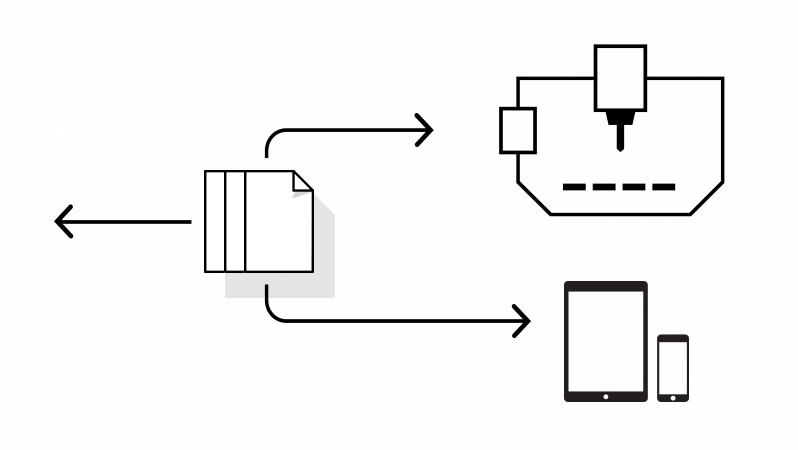
DNC support for most network-based machines including the option to remotely request files directly at the machine using the control or MDM Web Client. Thereby not having to leave the machine.
Software, CAD/CAM integration
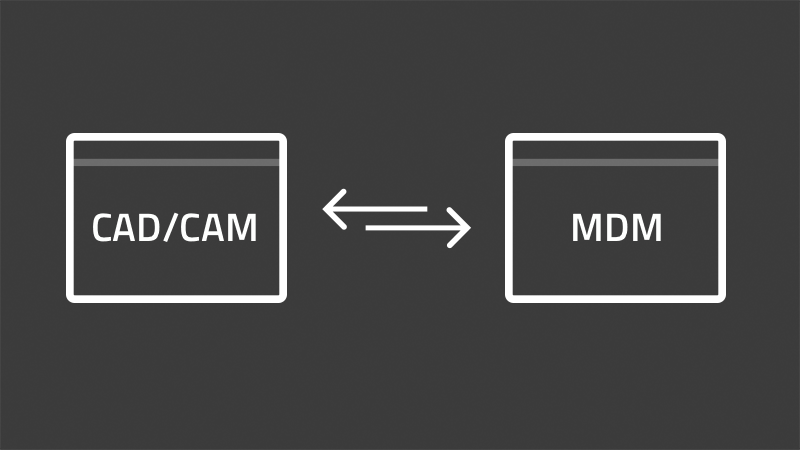
Integrated with editors, DNC, MDC, and CAD/CAM systems from leading vendors. Preview/open part files directly, exchange tool information, auto-transfer and store generated NC code in MDM. Quick-launch buttons for your vital applications.

Logs and user permissions
Logging and fine-grained control over user permissions such as who can add, edit, approve/reject, send/receive, etc. Set permissions for any action including who can send files to certain machines.
Tool manager
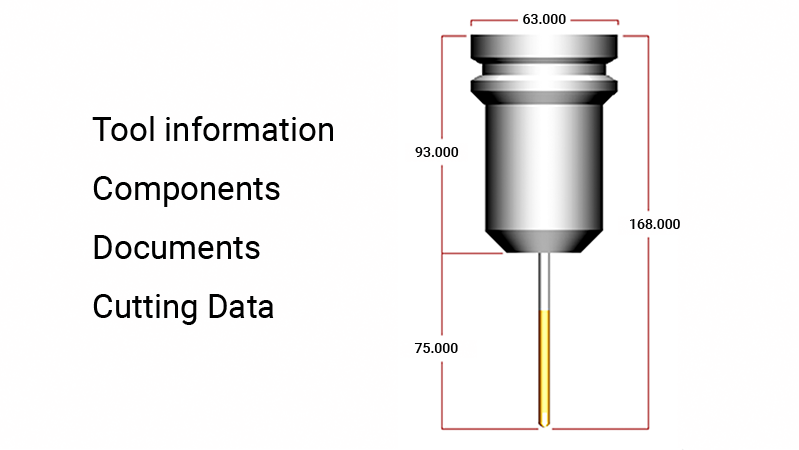
Manage all your tools in one location and exchange tool data across applications. Search, import or create custom tools. Includes tool diagrams with key measurements and usage statistics.
Automated workflows
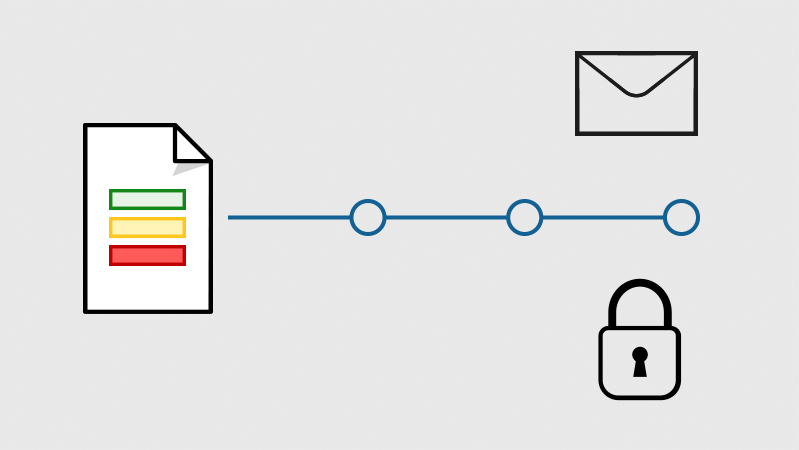
Trigger custom workflows on actions such as a file changing status. A workflow can be locking a file for approval when modified, sending an email, requesting the fill out of a form, etc.
| System components | ||||
|---|---|---|---|---|
|
Scalable solution
MDM consist of a server, PC client and Web client. Client and server can run on the same PC or distributed on multiple servers with hundreds of clients across facilities worldwide.
|
Robust and reliable server
The robust and reliable MDM Server does all the heavy lifting in the background.
|
Windows client
The Windows-based client application provides the main interface for managing files, initiating file transfers and customizing the MDM system. Access multiple MDM Servers across a LAN, WAN or the Internet.
|
Web client (new version in 2022)
Access MDM from any desktop or mobile device with a modern web-browser. Search for documents, initiate file transfers and view setup sheets, tool lists and other documents directly at the machine. Use the device's built in camera to take pictures of machine setups or capture other important details.
|
Includes CIMCO Edit Standard
MDM includes and is fully integrated with CIMCO Edit Standard for comprehensive side-by-side file comparison and advanced NC program editing.
|
| File management, meta-data, import |
|---|
|
Custom document structure
Documents and files are organized and contained within Levels and Sub-levels. Levels work like virtual folders and can have restrictions applied such as file types, users access and which sub-levels are allowed.
|
|
Reference, copy or move files
Add files by drag- and dropping them onto a Level. Files can be referenced in their current location, or be copied/moved by MDM to a user defined directory.
|
|
Auto-import files and directories
MDM can auto-import your existing directory structure - or if required, create a new structure from your directories and files.
|
|
Auto-append Levels
For consistency and a faster workflow, MDM can auto create Sub-levels when a Level is added. Ex. a 'Drawing' level might have CAD, CAM, Sales Data and Revision sub-levels auto-created.
|
|
Auto-name files and folders
Ensure consistent naming with auto-naming when adding new Levels and documents. Generate names by combining static text, vaiables, auto-increment, extensions and more.
|
|
Machine specific Levels
For safety, Levels can be restricted to specific machines (Machine Groups) to ensure that only associated documents/NC programs can be transfered to those machines.
|
|
Custom data fields
Associate meta-data to Levels using Data fields. Fields can be Read-only or required such as requesting a user-comment when a file is added, updated or when status is changed.
|
| Search |
|---|
|
Customizable search panel
Customizable and adaptable search panel with global and Level-specific search fields (changes depending on the Level selected). Includes advanced options for filtering by date and time periods.
|
|
Search management
When multiple matches are found, results can be listed the Search Results window. Select a result to locate the Level/document or export results to Excel for further analysis.
|
| File transfer, remote request |
|---|
|
Send/receive directories
Network directories can be configured to handle transfers to/from machines. Files sent are copied to the apropriete directory on the machine control. Receive-directories are monitored for files to import.
|
|
FTP file transfers
Transfer files directly to/from FTP based machine controls. Files sent are copied to the apropriete Request directory on the FTP server. Receive directories are monitored for files to import.
|
|
Advanced transfers with CIMCO DNC-Max
MDM integrates seamlessly with CIMCO DNC-Max for advanced file transfers using higher network protocols such as FANUC FOCAS and Heidenhain.
|
|
Remote request
Avoid walking programs out to the shopfloor. Initiate file transfers directly from a machine's control, from the MDM Web Client or using a Barcode reader.
|
|
Barcode reader support
Create barcodes for frequently used documents. Scan the printed barcode and MDM will automatically find the documents for you.
|
|
Supports mobile camera
Use the camera of your mobile device to take photos of your machine setup for future reference. Photos are automatically imported and stored in the correct location in MDM.
|
|
Request program numbers
When working on a new part that is programmed on the machine, an Operator can request a new program number from MDM.
|
| File review, version control, workflows |
|---|
|
Import Queue
Incomming files can be placed in the Import Queue for later review and approval. Supports side-by-side file comparison for easy review/accept/reject of changes.
|
|
Version control
Documents and entire Levels (+ Sub-levels) can be raised in version. Accepting changes or doing backups on a specific level or document automatically creates a new version.
|
|
Complete version history
See the version-history of any document, Level or Sub-level. Easily compare and restore to an earlier version or revert back to the latest. All versions are safely stored.
|
|
File Check-in/out
Check-out a file to work on a local copy while preventing users from modifying or transfering the same file. Check-in to create a new version which you or an other user must review/accept/reject.
|
|
Status-driven workflows
Use status changes in document/Levels to trigger custom workflows. Restrict access/approval to certain users, set transfer limits, send email/texts, request a comment, etc.
|
| CAD/CAM integration, third-party applications, tool management |
|---|
|
CAD/CAM integration
Works with CAD/CAM systems from leading vendors. Quicklaunch your CAD/CAM system, preview/open parts directly and auto-save changes, operations, tools, and NC code back to MDM.
|
|
Supports multiple instances
Save time and licenses. MDM avoids having to start a new session of your CAD/CAM system each time a new part is opened using MDM.
|
|
Preview CAD/CAM files
Preview part files directly in MDM without launching your CAD/CAM system and even without having the CAD/CAM system installed.
|
|
Preview Excel and Word files
Preview the contents of Excel and Word files directly in MDM.
|
|
Generate documents
Auto-generate Tool lists, Operation lists, Setup sheets and more in both PDF or Word format.
|
|
Built-in Tool Manager
Manage all your tools in one location and exchange tool data across applications. Search, import or create custom tools. Includes tool diagrams with key measurements and usage statistics.
|
|
Reusable file templates
Save time with templates when beginning work on a new file such as a part or NC program. Templates can be configured for specific machine models in your setup.
|
|
Third-party applications
The flixibility of MDM enables integration with most applications such as editors and DNC software. MDM can also access data from other information systems if files can be accessed.
|
| User and machine management, collaboration |
|---|
|
Secure User/Group management
Fine-grained control over User/Group permissions such as view, add, edit, move, approve/reject, delete and transfer. Configure permissions for nearly every feature and workflow.
|
|
Comprehensive logging
Logging of all user and machine actions such as program changes by users or machine file transfers. Logs can be exported using the reporting options in MDM.
|
|
Machine management
Machines (also referred to as Ports) and their dedicated transfer directories are configured using Machine Groups. Machines are usually grouped based on their similarity and ability to run the same files.
|
|
Supports Windows login
MDM can utilize a user's Windows login to access MDM so users avoid having to type and remember a password - effectively using Windows authentication to manage MDM logins.
|
|
Easy access and collaboration
Users in different geographical locations can easily log onto the MDM Server. Version control, comments on file check-in/out and logging enable efficient team collaboration.
|
| Reporting |
|---|
|
Configure reports to company standards and publish automatically or on demand.
|
|
Flexible reporting system
Combine the information stored in MDM to generate a wast variety of reports such as 'Overview of transfers', 'Server usage by user' or 'Tool usage by project'.
|
|
Integrated report designer
Generate report templates to company standards with the integrated report designer. MDM automatically stores reports under their correct level.
|
|
Printable reports
Generate Tool lists, Setup sheets, Operation lists, QA documents, and drawings in print-ready Word or PDF format.
|
| Scalability |
|---|
|
CIMCO MDC-Max: Manufacturing data collection and machine monitoring solution.
...
|
|
CIMCO DNC-Max: Advanced CNC communication
Add CIMCO DNC-Max to your MDM-system for the most advanced document management and CNC communications solution. DNC-Max provides full control over all program transfers and supports higher network protocols such as FANUC FOCAS and Heidenhain. Includes robust features such as dynamic feedrate and spindle speed adjustment, remote request, auto-receive, parameter offsets and more.
|
|
CIMCO Scheduler: Advanced production planning
...
|